Accounts Receivable
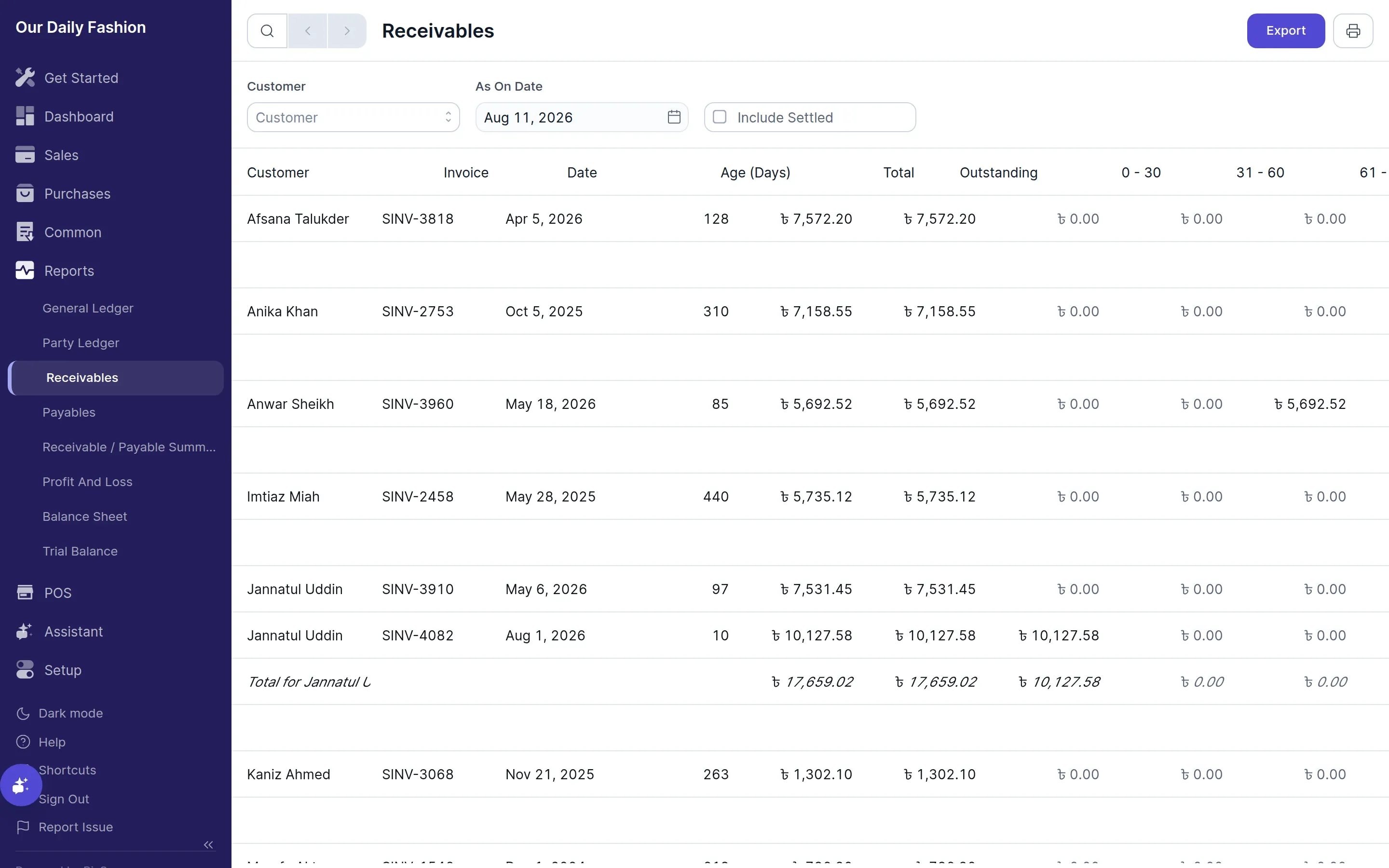
The Accounts Receivable report provides a breakdown of all money owed to your business by customers. It helps track overdue payments and manage credit limits effectively.
What it shows
Section titled “What it shows”- Customer Name — The party owing money
- Invoice Number & Date — Reference link back to the sales invoice
- Total Amount — Original invoice total
- Outstanding Balance — Unpaid amount remaining on the invoice
- Aging Intervals — Outstanding balances grouped into aging brackets: 0–30 days, 31–60 days, 61–90 days, and 90+ days overdue
Filters & Options
Section titled “Filters & Options”- Customer — Filter receivables by a specific customer
- As On Date — View outstanding balances as of a specific date
- Include Settled — Toggle to include fully paid historical invoices