SME Books
SME Books is accounting software for small and medium businesses. It runs in the browser, so there is nothing to install — you sign in to your company’s address and your books are there.
New here?
Section titled “New here?”Work through these in order. The Set Up Your Workspace checklist on the app’s Get Started page follows the same sequence.
- Chart of accounts — the account tree your books post against
- Set up opening balances — carry balances in from your previous system
- Create initial entries — add the taxes, items and customers you need first
- Entries — how records, transactions and reports fit together
Day to day
Section titled “Day to day”- Sales invoices and purchase invoices
- Payments in and out
- Journal entries for everything else
Checking the numbers
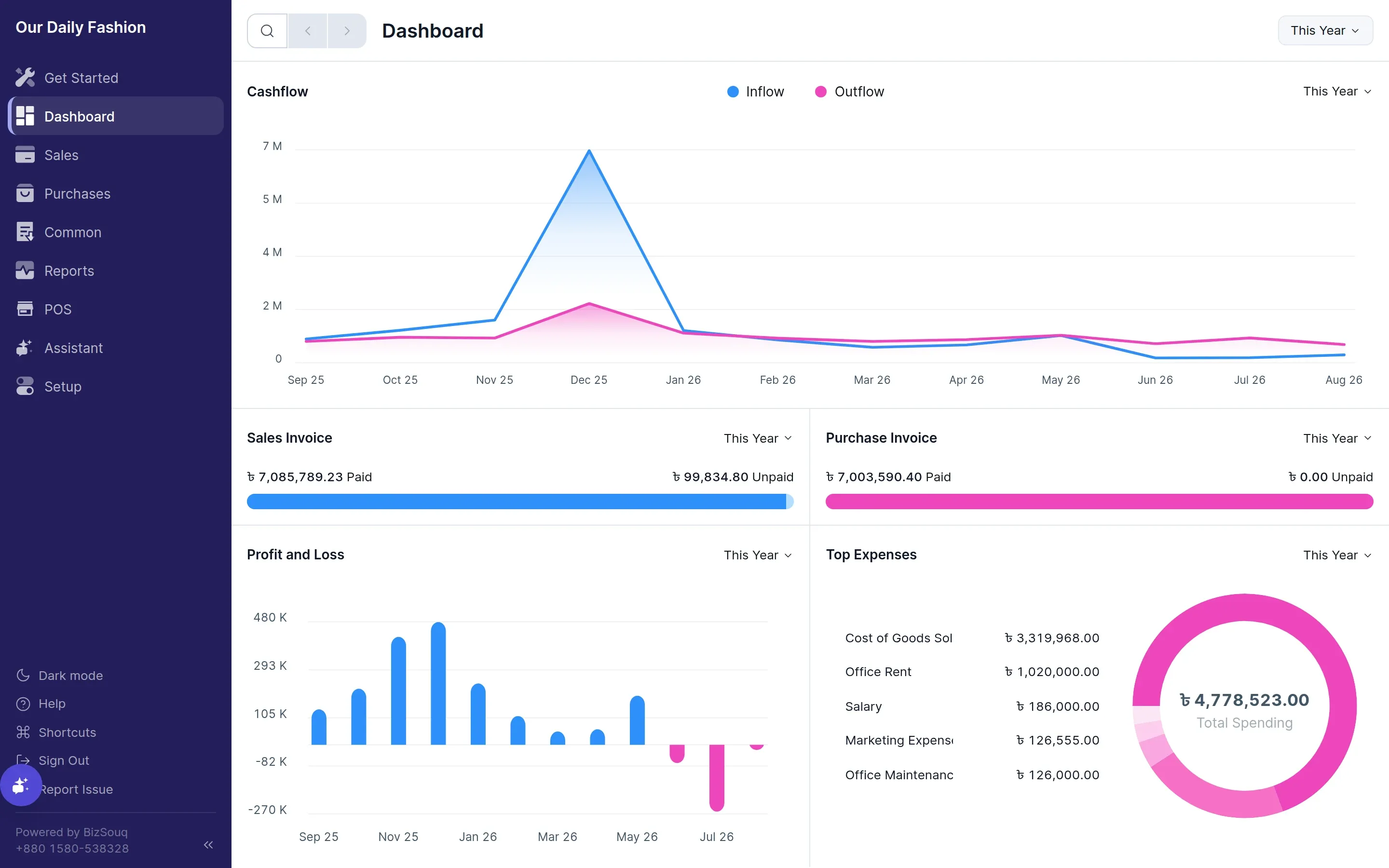
Section titled “Checking the numbers”- Dashboard for the position at a glance
- Profit and loss, balance sheet and trial balance
- General ledger to trace any figure back to its source document
Signing in
Section titled “Signing in”Each company has its own web address, and your books are selected by that address. Sign in with the email and password for that company. The first account created on a new address claims it; everyone after that is added by someone who already has access.
Sign Out is at the bottom of the sidebar.
Getting help in the app
Section titled “Getting help in the app”The Help button in the sidebar opens the page here that matches whatever you are looking at, so you can go straight from a form to the documentation for it.