Profit and Loss
The profit and loss statement shows what you earned and what it cost you over a period. It covers only income and expense accounts — balance sheet accounts are excluded by definition.
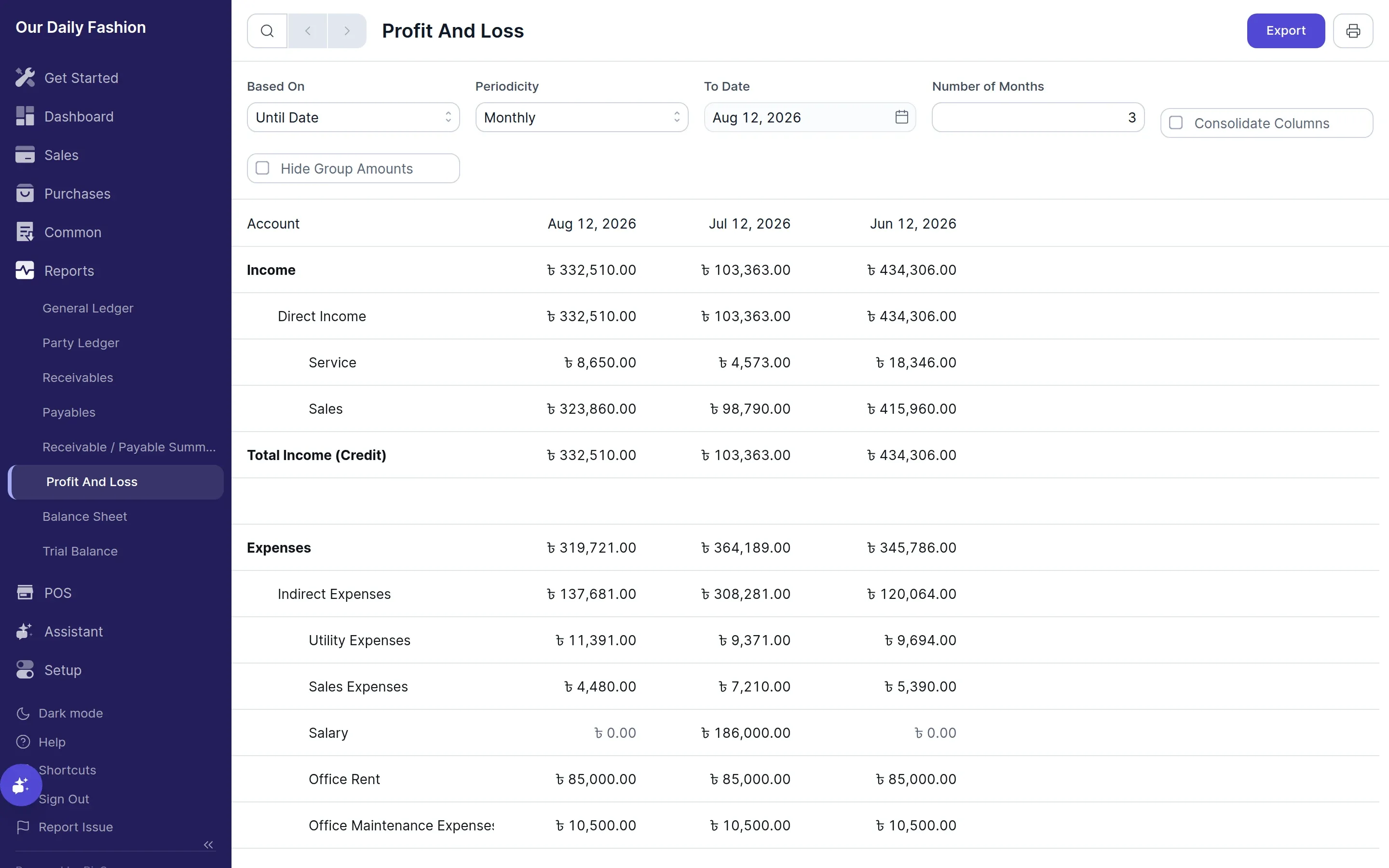
Structure
Section titled “Structure”Income accounts are listed first, then expense accounts, with net profit as the difference. The account hierarchy from your chart of accounts is preserved, so groups roll up their children.
Periodicity
Section titled “Periodicity”The report can be broken into monthly, quarterly, half-yearly or yearly columns across the selected range, which is how you compare one period against another.
Fiscal year
Section titled “Fiscal year”The default range is your fiscal year as set during company setup. For Bangladesh this is 1 July to 30 June. You can change it in Settings → General → Fiscal Year, though doing so after you have posted transactions will change which entries fall inside the default range.